For teams handling sensitive client data, even one unsecured connection risks violating regulations. A VPN (virtual private network) ensures encrypted tunnels across networks to reduce exposure points and give teams as Remote collaboration relies on cloud platforms like Slack, Zoom, and Google Drive. However, every login and file transfer creates a data stream that can be intercepted. Public Wi-Fi often uses outdated encryption (like WPA2), leaving sessions vulnerable to packet sniffing and credential theft.
ecure foundation for project collaboration. Read on to learn more about this tool and best practices for safeguarding your data.
Core Challenges Teams Face Without Secure Connections
Remote teams depend on stable and private connections to share files and manage projects. Without safe connections, small technical oversights can quickly turn into workflow problems. Here are some of these possible issues:
- Insecure and unstable public Wi-Fi. Public Wi-Fi often reuses the same encryption keys for every user, which can cause dropped connections or inconsistent logins when several people access tools like Slack or Trello at once. More importantly, session data isn’t isolated, meaning one user’s login handshake can sometimes be visible to others on the same network.
- Blocked access for global teams. When contractors connect from abroad, internet traffic might be routed through multiple intermediate providers. Each hop adds latency and can break authentication, especially with dashboards that require two-step verification. Inconsistent routing also makes it harder to confirm whether a failed login is user error or a genuine network issue.
- Corrupted and unreliable file transfers. Unencrypted transfers, such as those sent via legacy FTP or email attachments, lack automatic checks for file integrity. A large design file or code package may arrive incomplete, with no built-in alert that the file is corrupted. Teams might only discover the issue hours later, when the file fails to open or compile.
- Account synchronisation problems. Collaboration platforms rely on continuous background synchronisation. If connections aren’t secure and stable, sync requests can be dropped, leaving team members with outdated versions of documents or missing updates. Problems like this often appear as duplicate or mismatched files in shared folders, wasting time and creating confusion.
How a VPN for MacBook Creates a Secure Link
A VPN works by building a private “tunnel” between your laptop and the internet. Every request, whether opening a project dashboard or sending a chat message, is encrypted before it leaves your device.
The traffic becomes unreadable to anyone outside the tunnel, including internet service providers and unsecured Wi-Fi networks. A VPN also replaces your real IP address with one from its server, which hides your location and reduces the risk of targeted tracking.
Using a VPN for a MacBook also aligns well with Apple’s focus on privacy. It adds a layer of protection that macOS alone cannot.
End-to-End Encryption for Files and Messages
When team members share files or use chat platforms, data travels through multiple servers before reaching its destination. A VPN encrypts this entire path, not just the entry and exit points. So, design files, contracts, or code sent from a MacBook can’t be intercepted mid-route in a readable form.
Even chat platforms that claim encryption sometimes only protect messages within their app, leaving metadata exposed. A VPN ensures all content remains private.
Secure Access Across Borders
Remote teams often deal with regional restrictions that block tools or slow access. For example, a contractor might be unable to open certain dashboards or file-sharing sites from their home country.
By routing traffic through a VPN server in a permitted region, a MacBook user can access the same tools as if they were working locally. This solution helps eliminate workflow interruptions, enabling every team member to collaborate seamlessly from any location.
Consistent Protection on Public Wi-Fi
Remote professionals often work from coffee shops, airports, or co-working spaces. These networks are convenient but commonly use shared keys or outdated protocols that offer little protection for users.
With a VPN, every connection from a MacBook is automatically encrypted, even if the Wi-Fi itself has weak security. This dual protection helps avoid issues like dropped file uploads, unauthorised snooping, or exposed login tokens, protecting employees who depend on cloud-based collaboration tools.
Additional Tools and Practices for Safer Remote Work
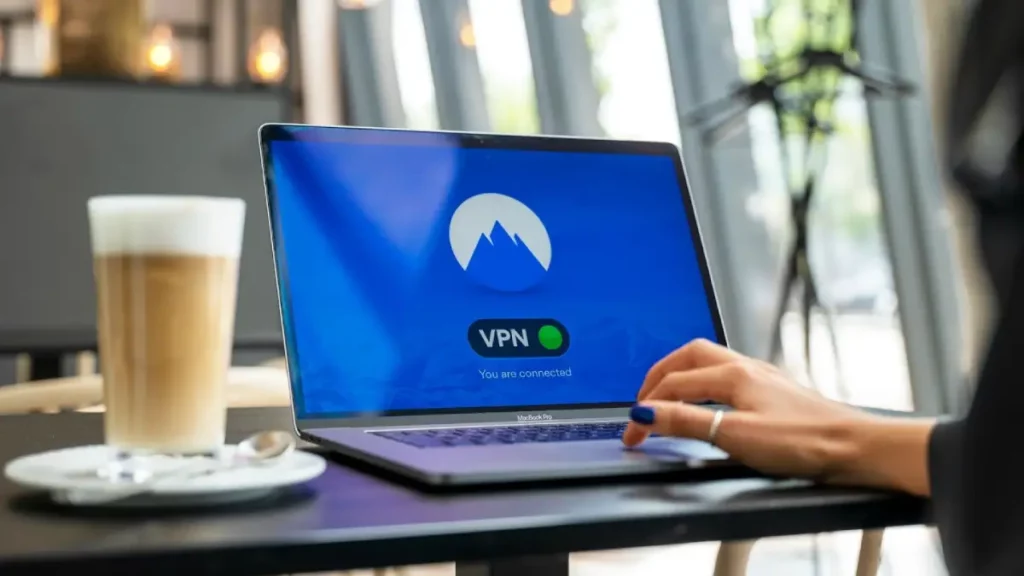
While a VPN for MacBook protects the connection itself, remote collaboration also depends on securing the tools teams use every day.
Strengthening these layers reduces the chances of weak points, like a reused password or poorly secured file share, compromising the entire project.
Password Managers for Shared Accounts
Remote teams often rely on shared logins for design platforms, analytics dashboards, or social media accounts. Passing passwords around by email or chat makes them easy to lose or expose.
A password manager generates strong, unique passwords and stores them in encrypted form. Many managers allow secure sharing without revealing the raw password, so access can be revoked if a contractor leaves the project.
Multi-Factor Authentication on Collaboration Platforms
Collaboration tools like Google Workspace, Trello, or Slack usually support multi-factor authentication (MFA). Instead of requiring a password, MFA asks for an extra step, such as a time-based code, a push notification, or a hardware token.
Even if a password leaks, an attacker still can’t log in. For teams, this solution prevents disruptions, as a compromised account could be used to spread phishing links or alter project data.
Secure Cloud Storage Solutions
Cloud storage isn’t automatically secure; it depends on settings. Many breaches occur when folders are left public without anyone realising it.
Teams should use storage that supports role-based permissions, detailed access logs, and file versioning. Versioning protects against accidental overwrites or malicious deletions by allowing quick rollbacks. On a MacBook, integration with Finder makes it easier to enforce these practices without extra steps.
Regular Employee Training on Phishing and Safe Practices
Technology alone can’t solve everything. Many breaches start with a click on a phishing link that looks like a file request or meeting invite.
Training should focus on recognising suspicious messages, double-checking URLs, and reporting incidents quickly. Teams that practice these habits reduce the chances of account takeovers that even strong encryption can’t prevent.
Building Long-Term Security Into Remote Collaboration
For modern remote teams, strong security is not a barrier to productivity — it’s an enabler of it. A VPN for MacBook provides the key layer, protecting every connection your team makes.
When you combine this with smart practices like password management and multi-factor authentication, security stops being a reactive task and becomes a natural part of your workflow. This approach creates a trusted environment where your team can focus on what truly matters: delivering great work without the constant troubleshooting.