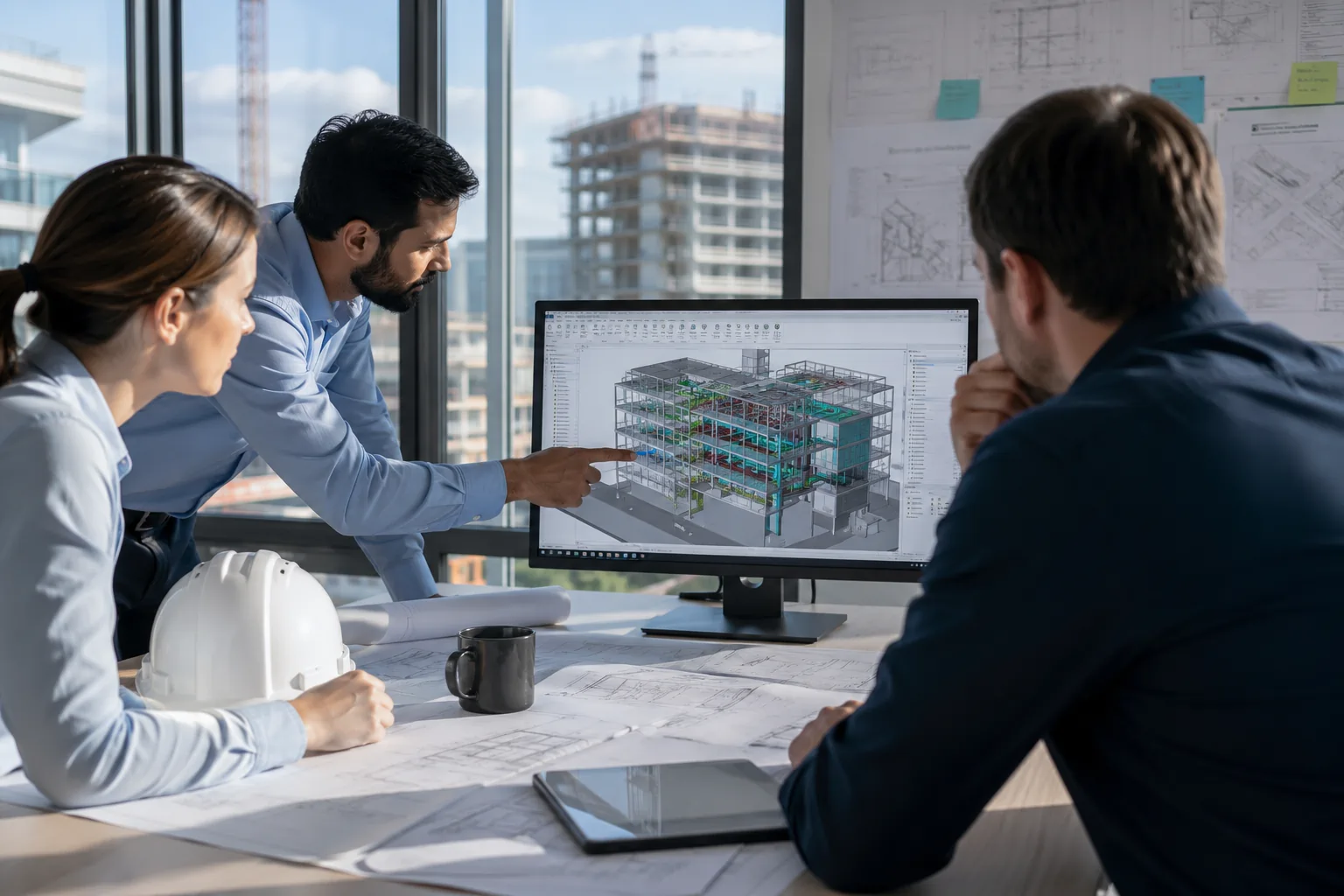
Bluebeam Max matters because AI is moving into the review work that already decides whether drawings, markups, and coordination comments can be trusted.
For teams already using Bluebeam, this shift is close to home. Drawings are checked in Revu, revisions are compared before meetings, and PDF comments often become the first visible record of a coordination issue.
Bluebeam Max shows why this is worth understanding now. AI is moving closer to the place where teams check risk, confirm changes, and decide what needs action.
That is why Interscale will cover Bluebeam Max in the upcoming Bluebeam Max webinar.
This article gives you the preparation before the session: what Bluebeam Max is, why it matters, and which review workflows are worth watching.
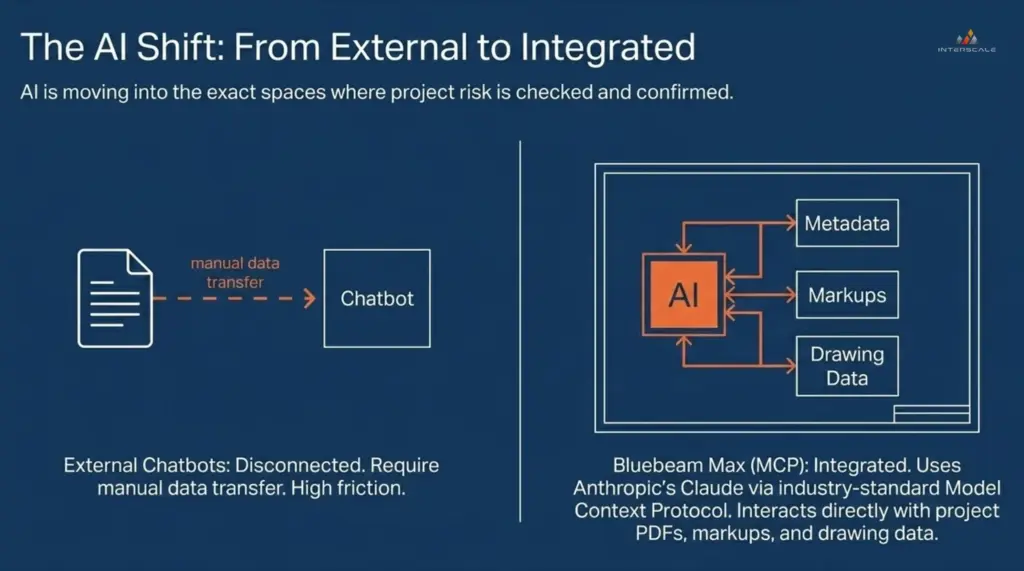
Bluebeam Max shifts AI from a separate chatbot-style workflow into the review environment where project PDFs, markups, metadata, and drawing data already sit.
What is Bluebeam Max?
Bluebeam Max is a premium Bluebeam plan that extends Revu with AI-powered review, automation, comparison, Stitching, and BIM-connected workflow capabilities.
For existing Revu users, the important part is familiarity. Bluebeam Max builds around the same environment many teams already use for PDF markups, project comments, takeoffs, overlays, document control, and collaboration.
That makes the shift more practical than abstract. AI is not sitting outside the delivery workflow. It is moving closer to review tasks that already influence tender checks, coordination meetings, construction release, and project records.
Bluebeam Max includes capabilities such as AI-assisted drawing review, Smart Overlay, Magic Markups, AI multi-view Stitching, and Connected Studio Sessions with Revit.
Why Bluebeam Max Matters in Australian AEC Review Work?
Bluebeam Max matters in Australian AEC review work because many project risks first appear inside drawings, markups, revisions, and coordination comments. This is where Bluebeam Max becomes relevant because it may help your teams:
- Start drawing reviews faster
- Compare revisions with more structure
- Reduce repeated markup work
- Search project information more easily
- Keep PDF comments closer to BIM context
As you might know, a drawing change can affect scope. A missed note can affect procurement. A delayed review can create pressure across consultants, contractors, subcontractors, and site teams.
The issue using Bluebeam efficiently is rarely a lack of information. The harder part is keeping review decisions connected to what changed, who reviewed it, and what needs action.
This does not mean AI should make technical decisions. It means AI can support the review process so people can spend more time on judgement, verification, and coordination.

The Interscale Bluebeam Max webinar gives AEC teams a practical look at new AI-powered features, workflow changes, and live Q&A.
Bluebeam Max Workflows Worth Watching for Review and Coordination
Bluebeam Max is most relevant to review and coordination workflows where AEC teams already lose time: checking drawings, comparing revisions, repeating markups, searching project information, and connecting PDF comments with BIM context.
Drawing Review
Drawing review is one of the clearest Bluebeam Max workflows to watch because it sits close to the moments where project teams check risk, confirm scope, and prepare issues for action.
AEC teams spend a large amount of time checking documents before tender deadlines, consultant issue dates, coordination meetings, and construction release points. The review itself may involve many small checks, including:
- discrepancies between drawings
- missing information
- scope gaps
- design issues
- comments that need escalation
Smart Review is designed to help Bluebeam users and teams scan construction documents and identify items that may need attention. That can create a stronger starting point for human review, especially when teams are working through large drawing sets or tight review windows.
The phrase starting point matters. AI-assisted drawing review still needs a qualified person to confirm what matters, what is acceptable, and what should be escalated.
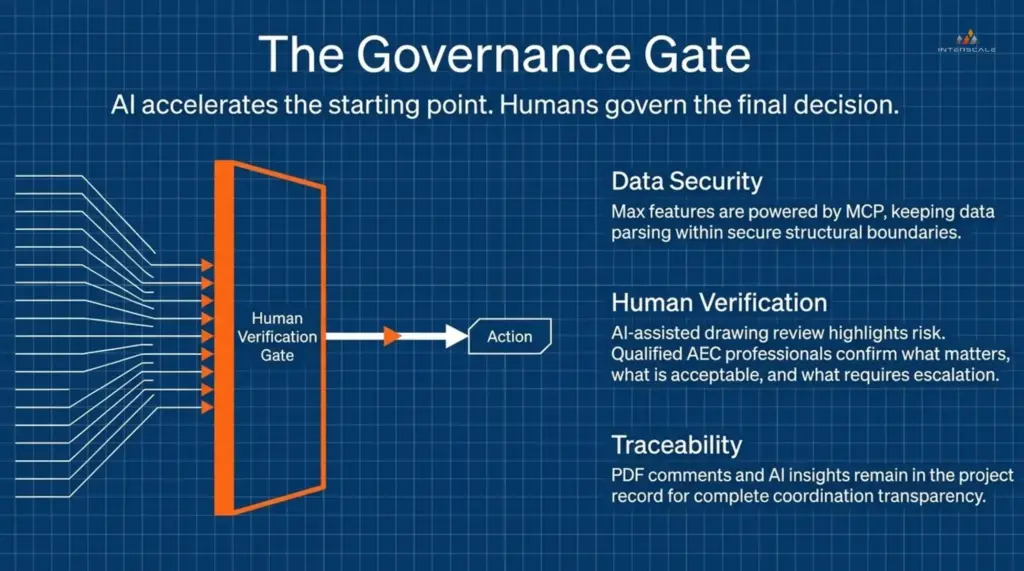
AI can accelerate the starting point of drawing review, but qualified project teams still govern the final decision, escalation, and action.
Drawing Comparison
Drawing comparison is worth watching because one missed revision can quietly change scope, sequence, cost, or coordination responsibility.
Project teams often need to understand what changed between revisions, disciplines, packages, or issue sets. When that process is slow, the risk is not just a missed line on a drawing. The risk is a late question that should have been caught before the next meeting, tender check, or site decision.
Smart Overlay is designed to help detect design changes across disciplines and drawing scales. For Australian projects where consultants, contractors, and specialist teams work across separate packages, this can make revision review easier to discuss before changes become coordination problems.
Repetitive Markups and Document Search
Repetitive markups, annotations, and document search matter because small review actions can quietly become the drag that slows the whole session.
Teams may need to duplicate markups, offset items, convert markup types, find old comments, or check which markups remain open before the next meeting. None of this work is difficult on its own, but across large drawing sets, it can weaken the review record and waste attention.
Magic Markups is designed to reduce some of that manual load, while AI-supported document interaction can help users search project information and prepare for coordination discussions faster.
The value is simple: fewer low-value steps, cleaner review records, and more attention left for the decisions that actually need people.
PDF and BIM Coordination
PDF and BIM coordination matters because many teams still review in one place and resolve issues somewhere else.
A comment may start on a Bluebeam drawing sheet, while the related issue lives inside the Revit model, CDE, or coordination meeting record. That split can make it harder to trace what changed, who reviewed it, and what needs action.
Connected Studio Sessions with Revit are designed to bring Bluebeam markups, drawing sheets, and BIM model context closer together.
For BIM managers and coordinators, the question should be about whether it fits the team’s coordination cadence, model review routine, and issue closeout workflow.
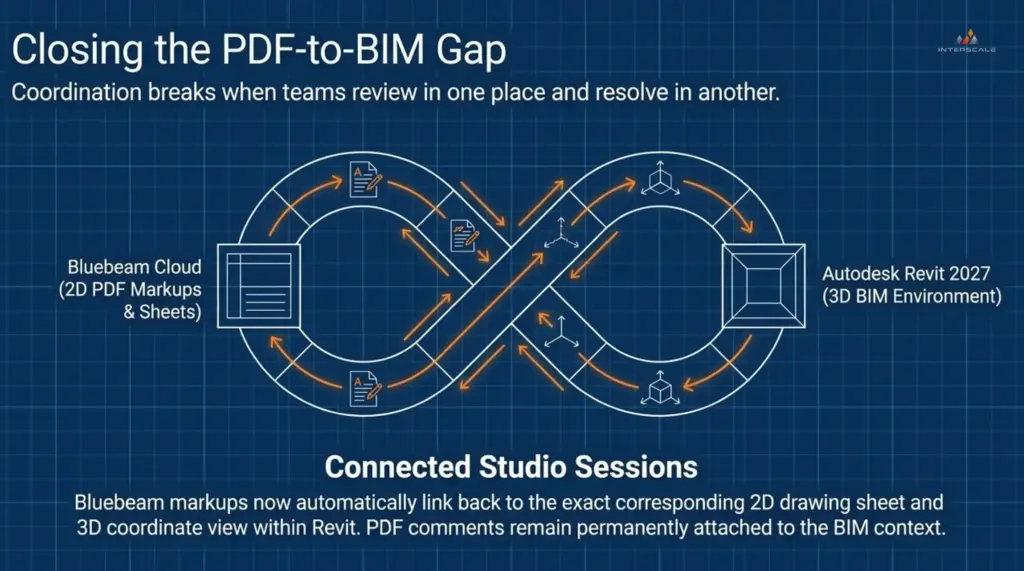
Connected Studio Sessions help reduce the gap between PDF-based markups and BIM model context, so comments can stay closer to the coordination workflow.
What Teams Should Ask Before Adopting Bluebeam Max?
Bluebeam Max should start as a workflow conversation before it becomes a subscription conversation. Therefore, before adopting Bluebeam Max more widely, teams may want to discuss:
- Which review tasks take the most time?
- Which drawing checks depend on manual comparison?
- Which users should test AI-assisted features first?
- Which outputs still need human verification?
- Which records need to be saved for traceability?
- Which BIM workflows could benefit from stronger PDF connection?
Without those questions, your team can buy advanced software and still get limited value if the review process around it is unclear.
The stronger path is to identify the review tasks where AI-assisted capability can support a specific delivery problem. These questions help teams keep the discussion practical.
These questions also make the Interscale webinar more useful for your teams because your representative can bring real workflow concerns instead of only listening for feature descriptions.
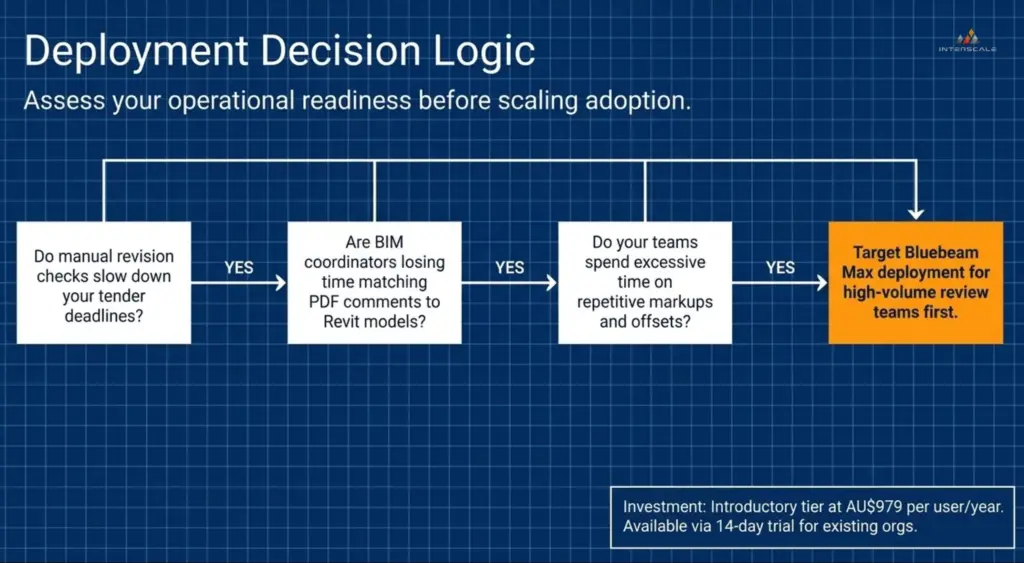
Bluebeam Max adoption should start with the teams that feel the review pressure most clearly, especially where manual revision checks, PDF-to-Revit matching, and repeated markups slow delivery.
When the Bluebeam Max Webinar Worth Watching?
The Interscale Bluebeam Max webinar is worth watching if your team already uses Bluebeam in live project reviews and wants to understand how AI-assisted workflows may affect that process.
The Interscale Bluebeam Max webinar is especially relevant for Bluebeam power users, BIM managers, BIM coordinators, architects, engineers, design managers, project managers, construction managers, estimators, document controllers, and digital delivery leads.
The session can also help practice, project, and digital delivery leaders understand where Bluebeam Max may affect coordination quality, software planning, and team capability.

Bluebeam Max brings AI-powered review features closer to the AEC workflows teams already use for drawings, markups, and coordination.
Bring One Real Workflow Question to The Interscale Bluebeam Max webinar
Bring one real workflow question to the Interscale webinar so your team can assess Bluebeam Max against the review work you already manage, not just the features being demonstrated.
That question could be about revision checks, repeated markups, open comments, drawing review pressure, or the gap between PDF comments and BIM coordination.
Use the webinar to see where Bluebeam Max may support that workflow before your team decides how far to take it.
Register for free the Interscale Bluebeam Max webinar now. Please, the webinar is limited, so grab your seat as fast as possible.