The upgrade decision between Revit 2026 vs Revit 2027 usually shows up when coordination, review, and release confidence begin to slow.
In many Australian AEC firms, that strain appears first in linked-model navigation, issue verification, and approval timing across mixed consultant environments.
The decision shifts to whether Revit 2027 reduces the handling friction that slows coordination, review, and approval timing.
This article isolates where that friction begins, how Revit 2026 and 2027 behave under those conditions, and what that means for firms managing BIM workflow control across ACC, Teams, SharePoint, and consultant-side variation.
Before you compare versions, take a look at our Revit 2027 new features breakdown here.
Core AEC Workflow Differences: Revit 2027 vs 2026
The core workflow difference between Revit 2026 and 2027 sits in how each version handles model interrogation, navigation, coordination visibility, and data exchange under time pressure.
They show up where teams check, confirm, and release information under time pressure. Let’s see what it means.
Model Interrogation and Task Automation
The difference in model interrogation and task automation between Revit 2026 and 2027 sits in how quickly teams can verify model changes and move decisions forward without manual checking delays.
When a model changes late, the first delay is rarely modelling. It appears during verification, when someone needs to confirm what moved into schedules, what parameters changed, and whether the update is safe to issue.
In many firms, that burden sits with the BIM lead or project architect. Work pauses while they interrogate the model across multiple views and schedules.
Approval timing stretches because the answer is not immediately visible.
Also remember that Revit 2027 introduces Autodesk Assistant, a model-aware help layer within Revit.
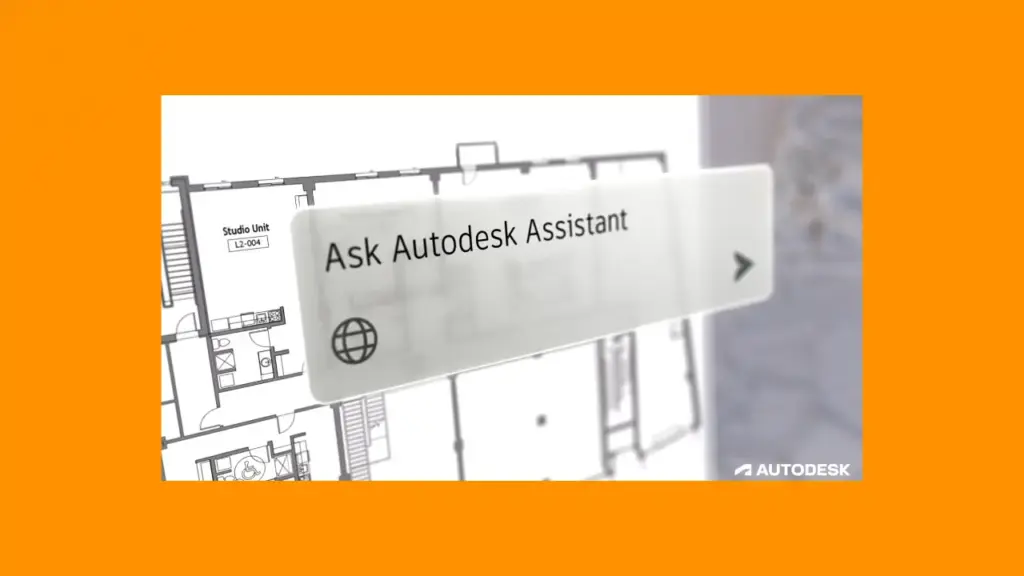
In Revit 2027, Autodesk Assistant is positioned to answer queries and assist with tasks such as schedule creation. Autodesk describes this as contextual support tied to the active model rather than static documentation.
That’s why the shift is in how quickly the model can be interrogated when a decision is needed, not simply in “AI inside BIM software.”
If your internal team upgrades to Revit 2027 while a structural consultant remains in 2026, and a late coordination change affects shared elements, the internal team may rely on Assistant-assisted checks while the external model still requires manual verification.
The result is uneven interrogation speed. The BIM lead absorbs the difference, and approval timing stretches because confidence takes longer to establish.
Autodesk labels Assistant as a tech preview, which means the benefit remains version-dependent and should be tested against office standards and permissions before relying on it across projects.
Graphics Processing and Navigation
Navigation speed affects review quality directly, and Revit 2027 does more to protect inspection depth when teams are working through large linked models under coordination pressure.
When navigation slows, review behaviour changes before anyone notices a performance problem. Teams inspect less, skip deeper checks, or delay coordination review until later in the cycle.
That is where risk starts to move. Issue discovery shifts later. Coordination meetings validate less. Approval becomes slower because reviewers are less certain of what they have seen.
Revit 2026 introduced accelerated graphics as a tech preview. Meanwhile, Revit 2027 moves closer to production readiness.
Autodesk reports that a 300-frame walkthrough with all linked models loaded ran 25% faster than the earlier preview and 500% faster than standard views, improving from 3:18 to 0:38 in their published example.
These are vendor-controlled tests, but the implication is clear: navigation speed changes how often and how thoroughly teams review the model.
In a 30–60 person firm, this is usually felt by:
- BIM coordinators during clash review
- project architects validating design intent
- documentation leads checking consistency before issue
If those roles move faster through the model, coordination confidence improves. If not, the delay compounds across meetings, issue tracking, and approval.
Component Numbering and Sequencing
Numbering becomes a workflow problem once coordination changes start flowing into tags, schedules, and issued drawings, which is why Revit 2027 gives teams more control over keeping that structure aligned.
Numbering problems usually begin when coordination changes alter model structure after numbering logic has already been applied. At that point:
- Tags diverge from schedules
- Schedules diverge from issued drawings
- Someone manually reconciles the set
That checking work usually lands with the documentation lead rather than the modeller.
Revit 2027 introduces rule-based numbering using filters, templates, and partitions. Autodesk positions this as a way to standardise numbering behaviour and reduce manual correction.
The commercial impact appears when issued packages either hold together or require another checking cycle after late coordination changes.
If numbering logic holds, checking reduces and issue readiness stays clearer. If numbering breaks, checking expands and package release slows.
OpenBIM Delivery and Data Exchange
The difference in OpenBIM delivery and data exchange between Revit 2026 and 2027 sits in how reliably model information stays structured and reviewable once it leaves Revit.
In mixed BIM software environments, risk appears when exported model data loses structure during review, coordination, or handover.
In practice:
- Consultants may not run identical versions
- Review may happen in ACC, SharePoint, or exported formats
- Issue tracking may sit outside the authoring environment
Revit 2026 improved interoperability and raised geometric thresholds, including increasing the default toposolid limit from 10,000 to 20,000 points, with an option to extend to 50,000 via configuration.
Revit 2027 extends this with improved IFC property mapping and the ability to export schedules as property sets within federated IFC models.
That matters because IFC exports often become the review baseline, property structure determines what can still be checked outside Revit, and missing or inconsistent data pushes checking back into manual processes.
If data exchange holds structure, coordination remains more traceable during external review. If structure drops away, the checking burden shifts to whoever is validating the model outside the authoring environment.
Structural and Architectural Intersections
Structural and architectural workflows separate more clearly once disciplines stop moving in sync, with Revit 2026 leaning further into discipline-level modelling control and Revit 2027 leaning further into shared coordination continuity.
Revit 2026 supports deeper discipline-level control, particularly in structural modelling tasks such as parametric rebar cranking and more direct steel behaviour, where precision within a single model is the priority.
Revit 2027 places more weight on maintaining coordination continuity across disciplines through connected workflows, including integration with Autodesk Forma and tighter issue handling across environments, where shared model state needs to remain consistent during review.
In practice:
- Choose Revit 2026 when discipline-specific modelling accuracy drives delivery and coordination remains stable
- Choose Revit 2027 when coordination timing, issue tracking, and shared model visibility begin to affect review and approval
If architecture upgrades first and structure follows later, coordination reliability becomes the constraint. The model can remain correct within each discipline while the shared coordination record becomes harder to trust.
Revit 2027 vs 2026 Capability Comparison Table
| Key Point | Revit 2026 | Revit 2027 | What Breaks First if Misaligned |
|---|---|---|---|
| Review speed | Navigation relies on standard graphics, with slower response in large linked models during walkthrough and inspection | Accelerated graphics improves navigation responsiveness and walkthrough performance under full model load | Review depth drops → issue discovery shifts later in coordination cycle |
| Model interrogation | Verification relies on manual schedule checks, parameter inspection, and cross-view comparison | Assistant-supported queries reduce time to locate model information (tech preview) | Approval pauses → senior staff absorb checking burden |
| Numbering control | Tag, schedule, and element numbering often require manual correction after coordination changes | Rule-based numbering maintains alignment across tags, schedules, and model elements | Documentation inconsistency → rechecking cycles before issue |
| Data exchange | IFC export requires manual validation to confirm property mapping and model structure | Improved IFC mapping and schedule export as property sets preserve structured data in federated models | External review ambiguity → coordination drift across platforms |
| Coordination visibility | Issue tracking often splits across Revit, ACC, email, or Teams without consistent linkage | Connected workflows improve issue visibility and continuity across environments | Issue tracking moves outside governed record → loss of traceability |
| Rollout complexity | Lower dependency on cloud behaviour and emerging features; fewer workflow disruptions on upgrade | Higher dependency on AI features, cloud workflows, and updated coordination behaviour | Add-in / template mismatch → delayed adoption and parallel workflows |
| Licensing position | Standalone subscription commonly used without broader ecosystem integration | AEC Collection becomes more relevant as workflows extend into Forma and connected tools | Procurement delays upgrade timing → rollout misalignment across teams |
Cloud Governance and Version Deprecation
Cloud governance changes in the Revit 2027 environment alter how model data is accessed and extracted, which directly affects review, audit, and coordination verification workflows.
The first break in many upgrades appears in governance processes before it shows in modelling.
Autodesk Platform Services states that Revit Cloud Models published after 15 February 2026 no longer download as ZIP packages with linked models. Only the host file is available in that format.
This changes how teams:
- Extract models for review
- Verify coordination context
- Maintain audit records
If a team expects to download a complete model package for offline review or audit, that workflow no longer behaves the same way. Linked context must be reconstructed through other means.
The delay does not appear in modelling. It appears when someone tries to verify what was issued and cannot immediately confirm the full context. Approval slows because confidence drops.
Upgrade decisions start to shift at this point. The focus moves toward what breaks in review, coordination, and audit workflows if governance processes are not adjusted.
Should You Upgrade to Revit 2027?
You could upgrade to Revit 2027 when review, coordination, and model verification are creating more delivery friction than modelling itself.
Stage or delay the move when version-dependent add-ins, consultant timing, and rollout control still carry more risk than the workflow gains.
So, upgrade sooner when:
- Review and coordination time exceed modelling time
- Navigation lag reduces inspection depth
- Issue tracking spans multiple systems
- Cloud-connected workflows already shape delivery
Stage or delay when:
- Add-ins, templates, or standards are tightly version-dependent
- Consultants upgrade at different speeds
- Internal rollout cannot align with external coordination timing
Also, please note that in Australian practice, upgrade decisions often align with:
- Annual subscription cycles
- AEC Collection versus standalone licence strategy
- Staged rollout across teams rather than full-office migration
Autodesk lists Revit annual pricing in Australia at A$4,495, with the AEC Collection at A$5,495 as of April 2026. That pricing gap often becomes part of the decision once connected workflows across multiple tools are already in use.
Where procurement, rollout timing, and internal validation become the constraint, the decision to buy Revit license sits alongside implementation planning rather than after it.
That’s where Interscale fits in.
Instead of leaving your team to manage version conflicts, template inconsistencies, and coordination issues on their own, Interscale aligns the upgrade with how your projects actually run.
From planning rollout timing to standardising cross-discipline workflows and stabilising cloud-based coordination, the focus stays on keeping your transition controlled, reliable, and ready for production from day one.
Talk to our expert for a free initial consultation and plan your upgrade with confidence.
Conclusion
The difference between the new Revit and the old version lies in where effort is reduced, shifting from modelling depth toward review speed, model interrogation, and coordination continuity.
For Australian AEC firms, Revit 2027 vs 2026 becomes a decision about timing, governance, and workflow alignment.
When those areas are already under pressure, Revit 2027 reduces friction. When they are not aligned, the upgrade shifts that pressure into coordination, approval, and audit.
FAQ
What is the Revit 2027 Release Date?
Which Revit 2027 New Features Matter Most for Workflow?
Is Revit AI Ready for Full Production Use?
Should Firms Upgrade Mid-Project?
References
- Autodesk. “What’s New in Revit 2027.”
- Autodesk. “Revit 2027: A More Connected Way to Design.”
- Autodesk. “What’s New in Revit 2026.”
- Autodesk. “Revit 2027 Help Documentation (feature behaviour, IFC, and workflow references).”
- Autodesk Platform Services. “Changes Are Coming to Revit Cloud Model Downloads Starting February 15, 2026.”
- Autodesk. “Revit Pricing and Product Comparison (Australia).”