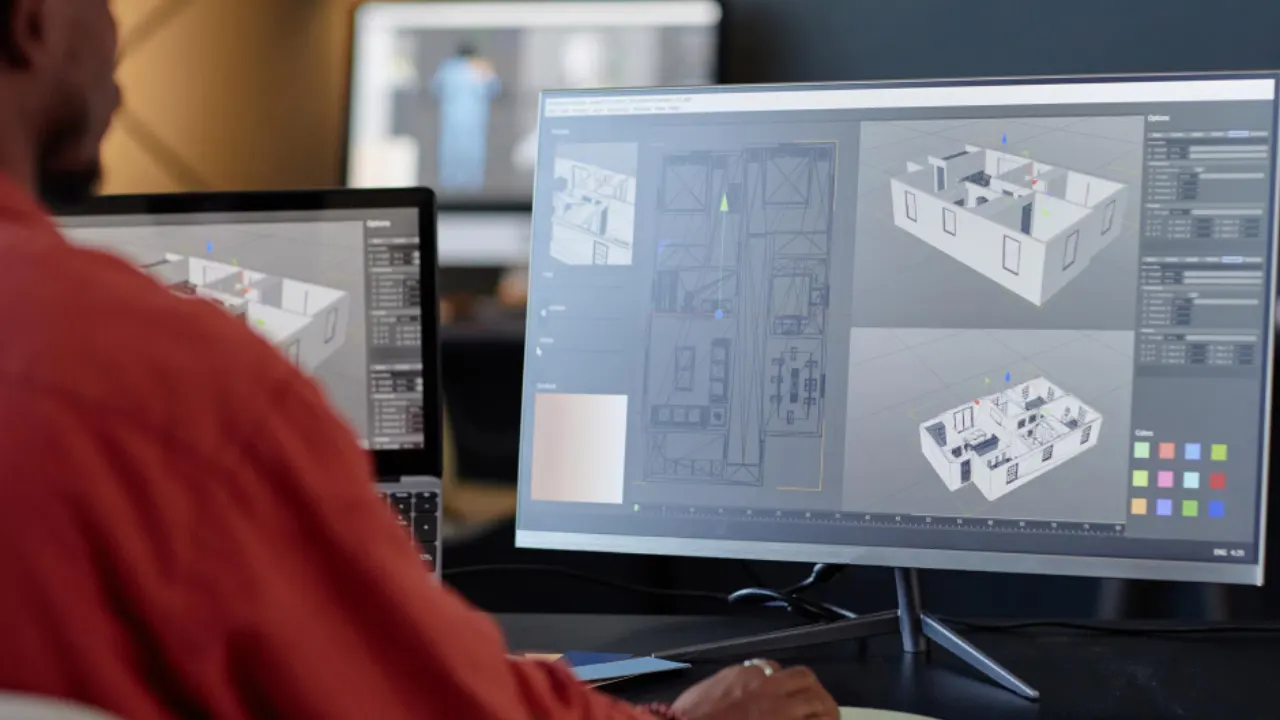
BIM in architecture is a process for creating and managing project information across a building’s lifecycle. It’s a methodology built around a smart, data-rich digital model that acts as a shared hub for everyone involved.
Instead of separate drawings and spreadsheets, one coordinated environment holds geometry, materials, schedules, and cost data. That single source of truth travels with the project from concept sketches through handover. This approach gives architects, engineers, and builders equal access to up-to-date information.
What sets BIM apart from standard 3D CAD is its focus on information and teamwork. Unlike traditional 2D drawings or basic 3D models, BIM architecture software embeds details like material specs, costs, and performance data. It’s guided by standards like ISO 19650. But please note, using tools like Revit doesn’t automatically mean you’re doing BIM. It’s the collaborative process that counts.
What the Benefits of BIM for Architects?
The benefits of BIM architecture are pretty compelling and genuinely change how you work for the better. Moreover, we created a special review of the different benefits of BIM. Here’s a quick look why architectural bim modeling is a big deal:
- Design Accuracy: BIM architecture delivers pinpoint precision. Its intelligent models let you catch clashes before breaking ground.
- Visualisation: BIM’s 3D tools create photorealistic renders, walkthroughs, or even VR experiences. Clients see your vision clearly, sparking better feedback and trust early on.
- Project Efficiency: BIM software for architects streamlines workflows. Update a model, and plans, sections, and schedules sync automatically, slashing drafting time.
- Cost Estimation: Because the model contains material data, you can pull out quantity take-offs much more easily and accurately, even early in the design phase. This helps keep budgets on track.
- Better Client Communication: Visuals from architectural BIM modeling make designs click for clients. They get the big picture, leading to smoother discussions and stronger buy-in.
- Improved Coordination/Collaboration: BIM is built for teamwork. Sharing a coordinated model between architects, engineers, and builders means fewer misunderstandings and a more integrated final building.
BIM Software Commonly Used in Architecture
The market offers several BIM architecture software programs, each catering to specific needs. The best tool depends on your firm’s needs, project types, and team setup. Suites like the Autodesk AEC Collection often bundle complementary tools for seamless BIM architectural workflows.
Based on our experience, here’s a rundown of the heavy hitters.
Revit
The heavyweight champion of BIM, Revit is a global favourite. The strength of Revit for many architectural firms lies in its parametric modeling. Parametric components, automatic sheet generation, and deep links to analysis plug-ins make it the backbone of many studios. Also, Revit can help you create coordinated architectural BIM modeling and support multidisciplinary collaboration.
Please note, Revit is part of the Autodesk AEC Collection list. So, you can pair Revit neatly with Civil 3D, Navisworks, or another Autodesk software.
ArchiCAD
ArchiCAD is built by architects for architects. Its intuitive interface sparks creative design. Meanwhile, its OpenBIM focus ensures smooth data sharing via IFC standards. ArchiCAD’s flexibility makes it a go-to for firms valuing interoperability and a design-first approach.
For us, ArchiCAD is a solid alternative to Revit for architectural BIM modeling. Mac users also appreciate its cross-OS flexibility. If your culture leans heavily on early-stage massing, Archicad can slot in without missing a beat.
Civil 3D
Though geared for engineers, Civil 3D is vital for BIM architecture by linking site and building design. Civil 3D supplies architects with accurate site terrain, road alignments, and utility layouts. The interoperability between Civil 3D and Revit is particularly valuable. Engineers can publish site surfaces from Civil 3D, which architects can then link into their Revit models.
For large-scale projects where site integration is critical, Civil 3D bridges the gap between vertical construction and horizontal infrastructure.
SketchUp
SketchUp is hugely popular, especially for early-stage concept design. Its push-pull modelling is super intuitive for quickly exploring ideas in 3D. While not a full-blown BIM authoring tool, SketchUp can play a part in BIM architecture workflows.
You can embed BIM data into SketchUp components, and it supports IFC import/export for sharing with other platforms. Its speed and flexibility make it a staple for Aussie architects exploring ideas before diving into data-heavy BIM processes.
BIM Collaborate Pro
Autodesk BIM Collaborate Pro is a cloud-based Autodesk platform as a common data environment (CDE). Here, your teams can store, manage, and share models and documents. Also, it could run clash detection and track issues, which is perfect for complex distributed teams.
Whether you’re using Revit, Civil 3D, or AutoCAD Plant 3D, BIM Collaborate Pro ensures everyone stays aligned. Its standout feature is real-time co-authoring, allowing multiple users to work on the same central model simultaneously.
Your Next Step
The accuracy, efficiency, and collaboration of BIM architecture can set your practice apart in a fast-moving industry. Mastering BIM architecture is less about buying licences and more about building the right ecosystem. This is why Interscale’s software licensing service is not just selling software. We pair market-leading tools with advice.
We ensure every dollar spent returns value in design quality, client satisfaction, and team morale. If this kind of support is needed, let’s talk. Or if you’re still juggling how BIM architecture could work for you, let’s talk. You can book a free discussion session with our specialist here. No sales. Just audit your current processes and chart improvements.